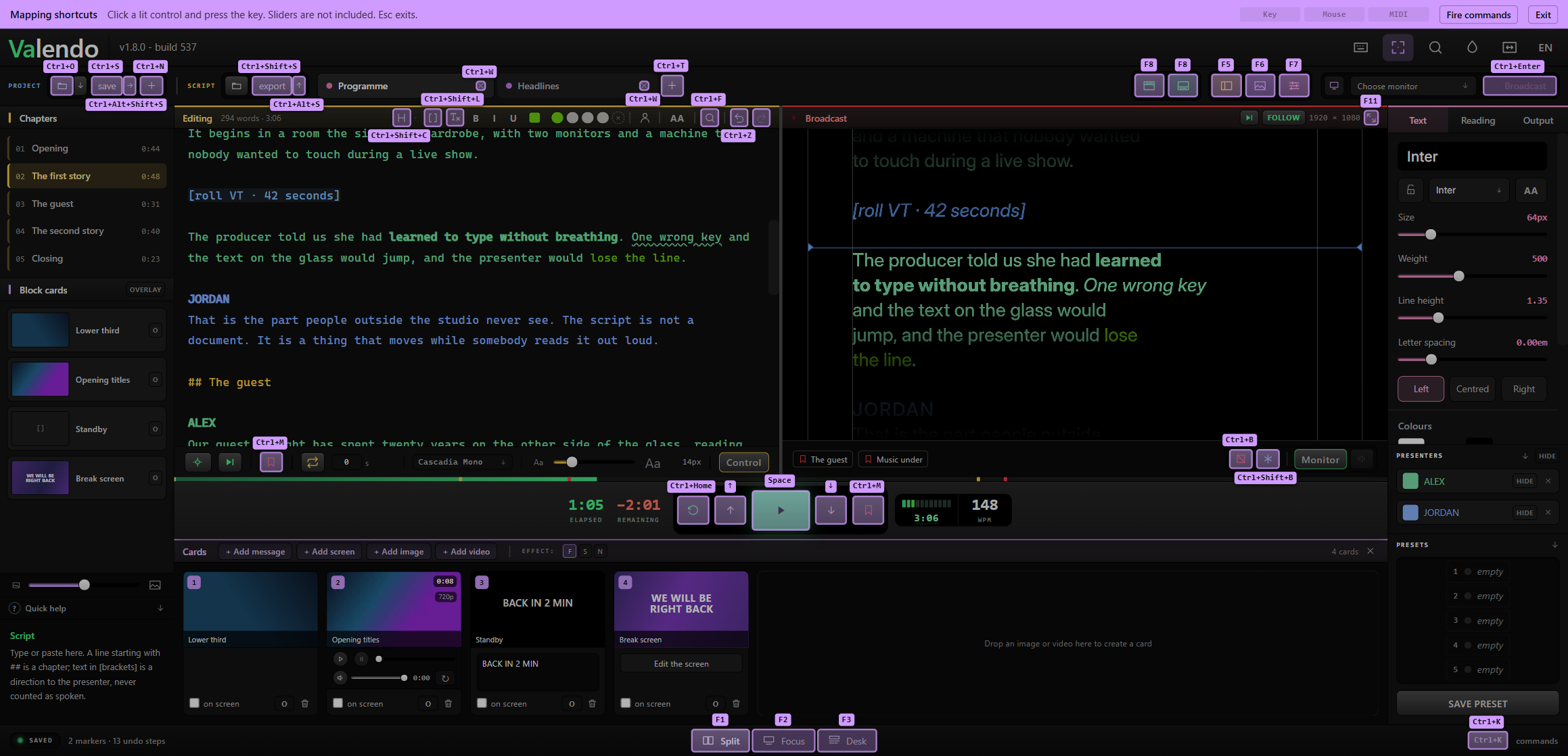
Script, timing, cards, monitors and the local network in one app for Windows and macOS — and you can rewrite any of it while the show is on the air.
Not a scroller with extras bolted on. Every part of running a prompter lives in the same window, on the same keyboard, in the same project file.
Import txt, md, docx and pdf. Ten tabs, chapters, stage directions, markers, presenters in their own colours, and undo that survives closing the app.
Words per minute on a ruler, elapsed and remaining, a target duration the pace bends to meet, loop with a delay.
Any monitor, identified before you send a show to it. Mirrored, rotated, blacked out or frozen on a key.
Images, video, messages, and standby screens the app draws itself — replacing the script, or riding over it like a lower third.
One switch and any device on the wi-fi is a second prompter screen. Nothing to install.
Three working layouts, a command palette, keys and MIDI mapped by pointing at the button itself, twenty themes, interface zoom, quick help on every key, six languages.
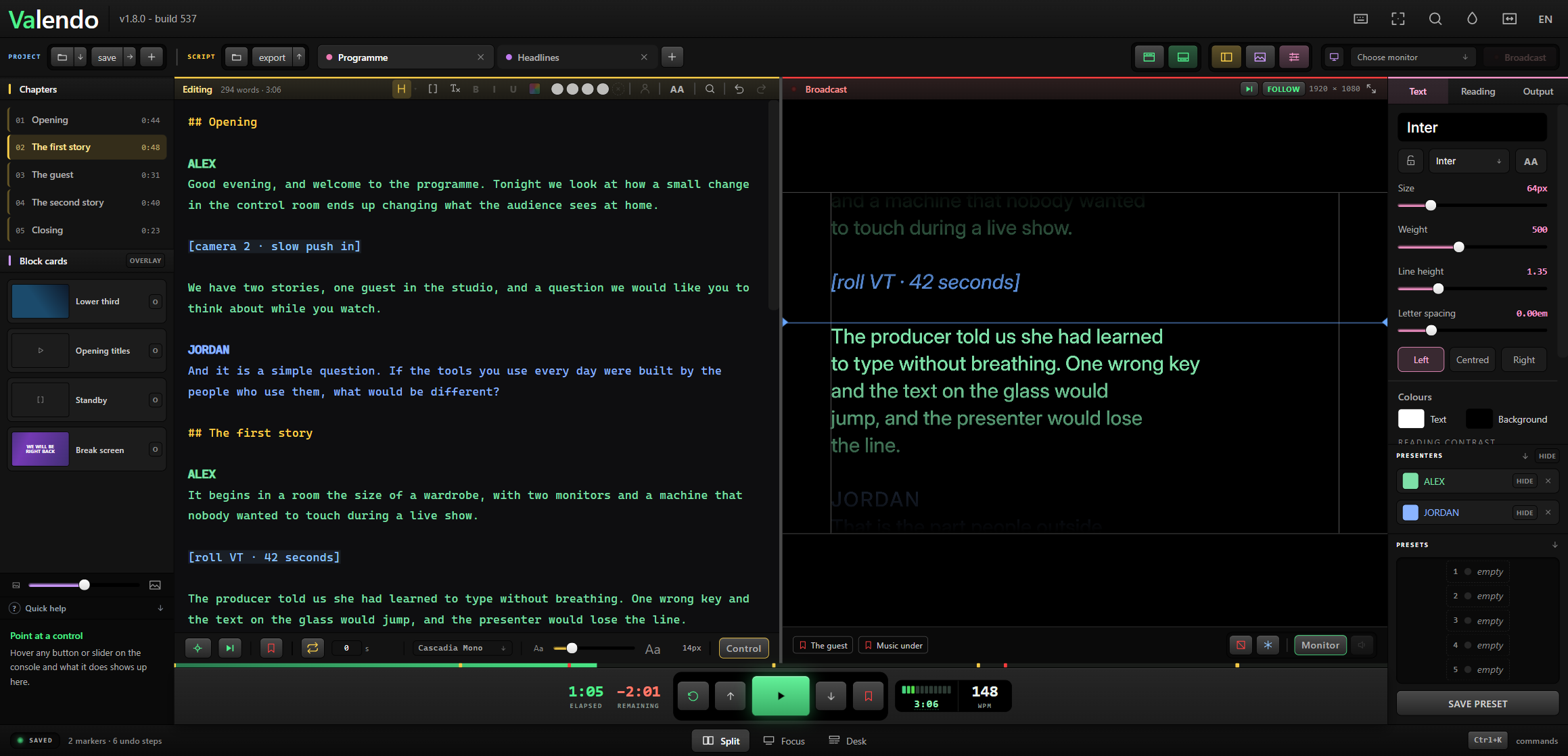
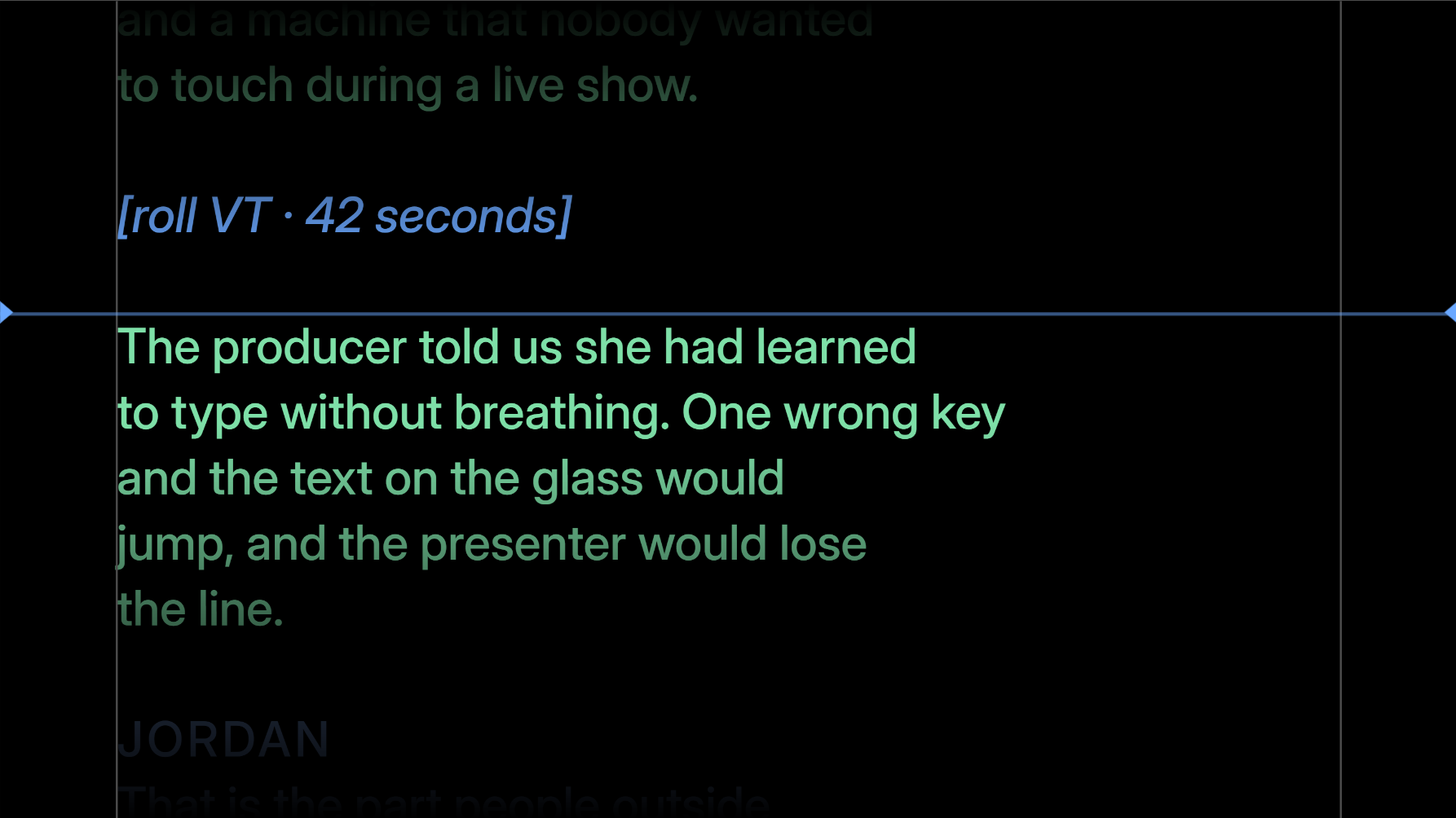
The left panel is the script. The right panel is what the presenter is seeing right now, at the output's real resolution. You type in one and the other changes — with the show live.
Every other prompter makes you stop, because they store the reading position in pixels. Change the text, the typeface or the margin and the layout reflows: pixel 4,200 is suddenly a different sentence, and the text jumps in the presenter's face.
Here nothing jumps. Fix a typo three paragraphs above the reading line, raise the type size, widen the margin — the word being read stays exactly where it is.
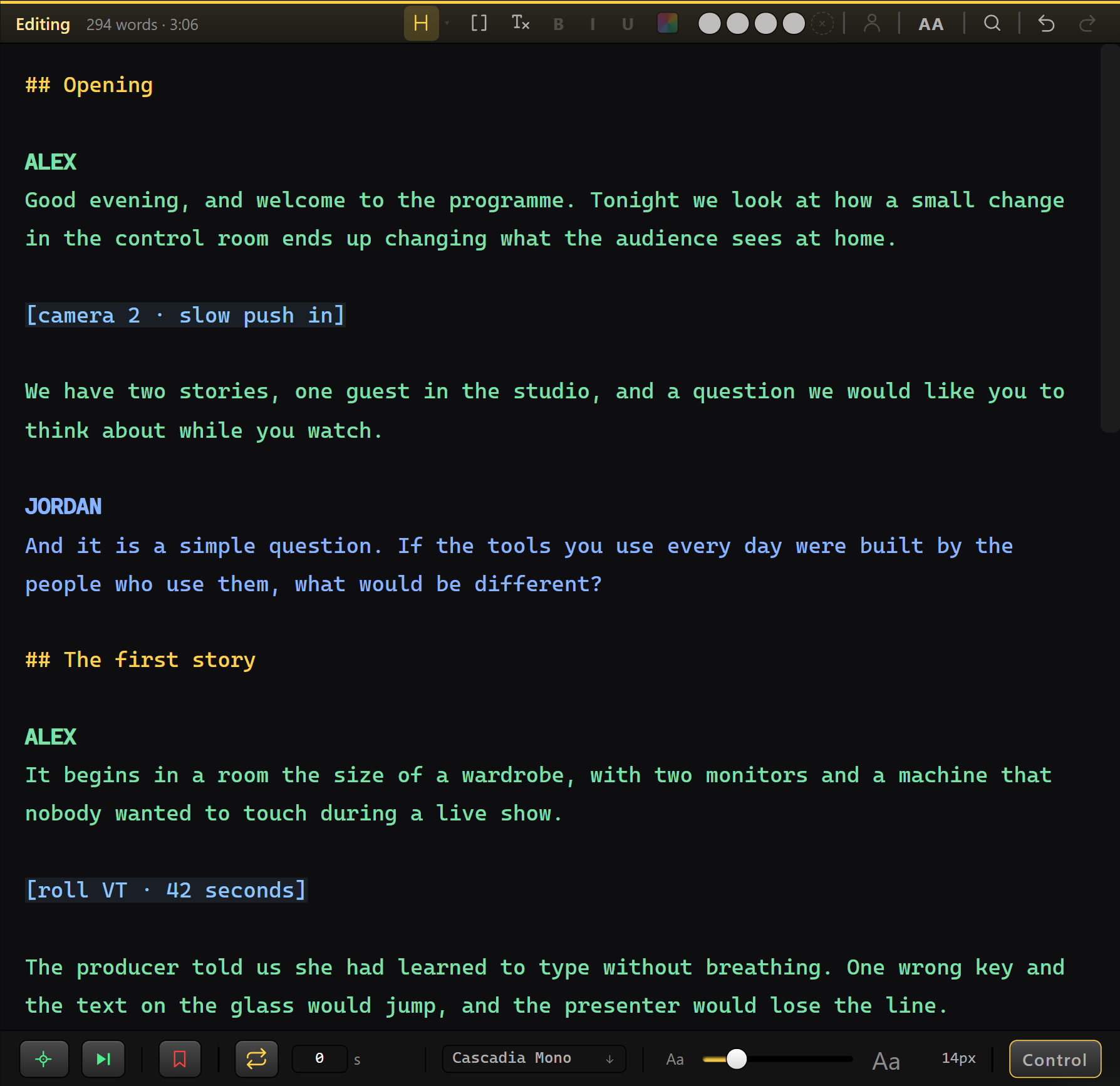
## opens a chapter. [square brackets] make a stage direction, never counted as words to be spoken.


Select a name in the script, press the person key, and everything below that name reads in a colour of its own — in the editor, on the presenter's screen and on the network page. The next name picks up where the last one left off.
Chapters and stage directions keep their own colours and do not break the run: a direction in the middle of a speech does not hand the words to somebody else.
And the names can leave the output entirely. They leave the ruler with them, so the reading does not crawl through the gap where a name used to be — what stays is the colour, which is all the presenter needed the name for.


Flip one switch and the reading is published to a page on your own network. Point a phone's camera at the QR code and it is following the same script, at the same word, cards included. Nothing to install, nothing to pair, no cable across the studio.
That is the director, the floor manager, the presenter rehearsing in the dressing room and camera two on the far side of the room — all reading the same thing, on hardware everyone already has in their pocket.
It is the reading that travels, not a video feed. No NDI, no SDI, no screen capture: the same page redraws itself in each browser. That is why it works on ordinary wi-fi — and why card video can be told to go out lighter while the presenter's screen always gets the original.
Both pages answer on one port, and the port is yours to change. If something else on the machine already holds it, the app walks to the next free one and puts that address on screen and in the QR — you never meet the error.


The reading page is read-only by design — nobody leans on a button by accident. So commanding lives behind its own switch, at its own address, with its own passcode.
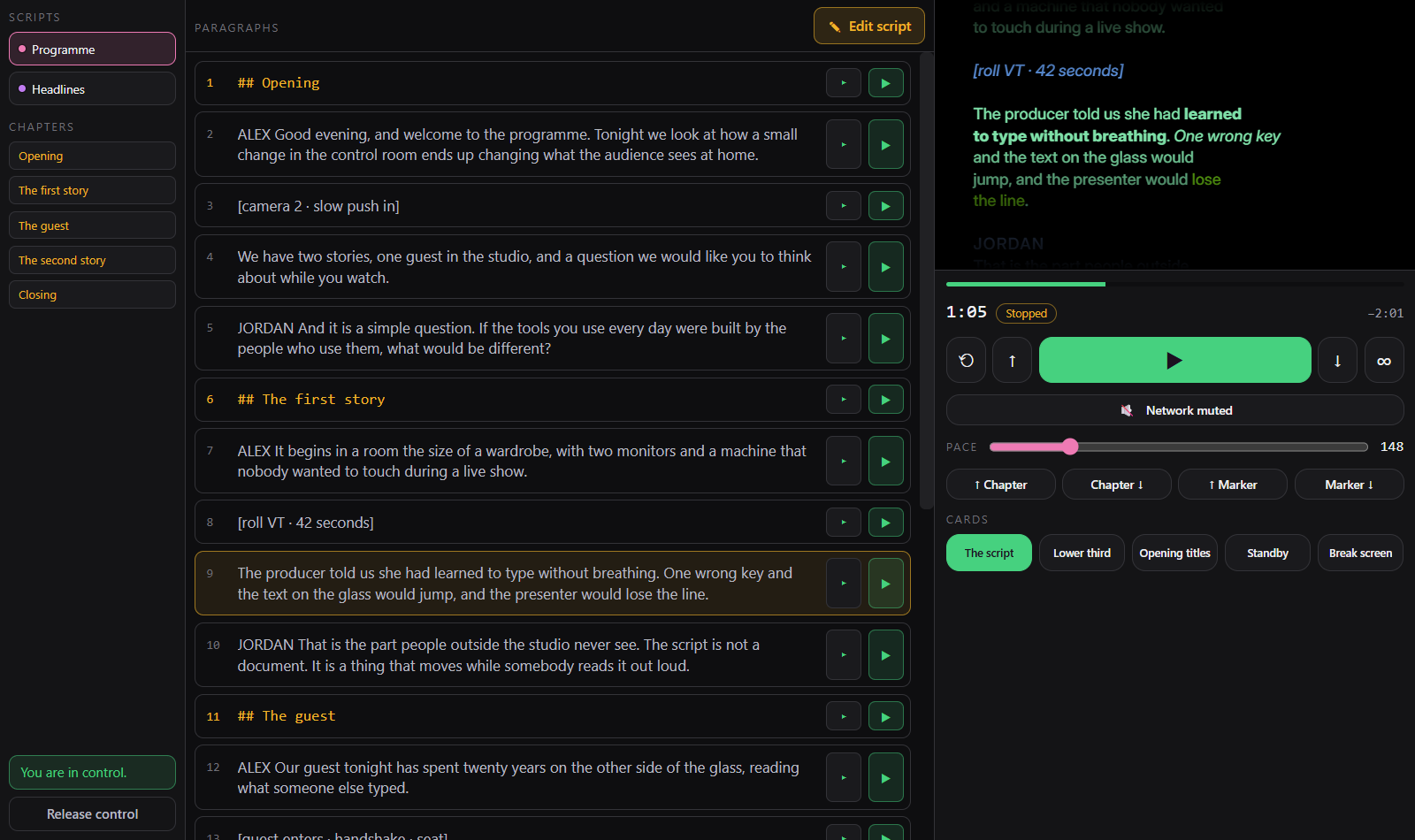
Open it and you get a desk, not a remote. Scripts and chapters on the left. The programme in the middle, paragraph by paragraph, with the one being read lit. On the right the transport — play, step, restart, loop, pace, chapter and marker jumps, cards — and above it the glass.
The glass is the reading page itself, embedded. Not a drawing of it: the same address the presenter is looking at, with the same type, the same presenter colours, the same cards and video. It is the difference between fixing a line blind and fixing it while watching.
Two devices can open the link; only one holds the pen, and whoever has it is named on the operator's footer. One click there takes it back — the desk is the machine in the room with the show on it, and it always wins.


Images, video, messages and screens reach the presenter's screen with one click or a number key. Each card either replaces the script or rides over it — which is how a lower third and a caption share one screen.
Legibility over a card is a three-way choice: a dark band, a shadow behind each letter, or nothing at all.
Video plays the file as it arrived whenever the browser can handle it. When it cannot, ffmpeg first tries to change only the container — seconds, no pixel touched — and re-encodes only when the content genuinely will not fit an mp4.


The fourth kind of card is one the app draws itself. A colour, or two colours and an angle, or one of six slow animated backgrounds — drift, breathe, sweep, waves, bars, dust — with a message over it if you want one.
The difference is not about looks. An image card points at a file; a screen card is a handful of numbers. It weighs nothing inside the project, has no link that can go stale, needs no lighter copy made for the network, and the same numbers draw it at 176 pixels in the drawer and at full resolution on the glass.
The six effects are slow on purpose — a restless background argues with whoever is reading — and two sliders scale the whole set at once: how fast it moves, and how much the movement shows over the base colour.


Pick a monitor, flash a number on each screen to be sure which is which, then send the show. Mirror on either axis for teleprompter glass, rotate 90° for a panel mounted sideways, black out or freeze on a key.
If that monitor is unplugged mid-show, Valendo closes the output rather than leaving a window at coordinates that no longer exist.
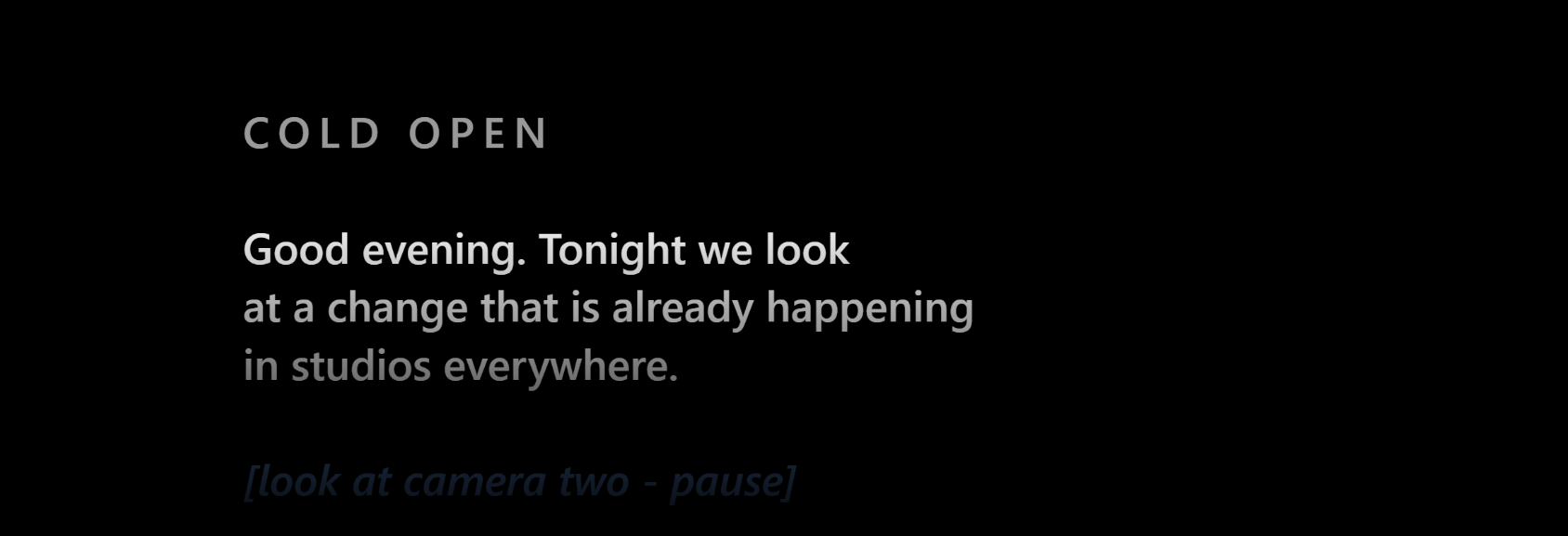
Dim the edges fades the script away from the line being read, so the eye has one place to land. The clear window follows the reading mark wherever you put it, and a slider decides how wide it stays — from most of the screen down to a band about one line tall.


Split is the picture at the top of this page — the editor and the presenter's screen together, which is how a show is operated.
Focus hides everything except the script and the transport, for the last rehearsal before air.
Desk turns the script into a rundown: every block with its word count, duration and on-air status, and a timeline across the top.
Every appearance control is live while the show runs — family, size, weight, line height, letter spacing, ALL CAPS, margin, horizontal position, words per line, alignment and colour presets.


Ten dark themes and ten light ones, eighteen of them carrying their own background artwork. The palette button sits beside the interface-scale control on purpose: those two answer the same question — how the app looks to you — while Settings decides what the presenter sees.
The background lives behind the chrome and nowhere else. The script editor, the Broadcast panel and the presenter's screen stay opaque in every theme: a texture behind the text you are typing during a live show is not a feature, and a Broadcast preview that lies about its own background stops being useful for checking anything.
Light mode peaks at grey, not white. An operator sits in a dim room facing this screen for hours, and a white panel there is a flash in the face.
Themes may change the state colours too — green for rolling, red for on air, amber for attention — which is what makes a genuine high-contrast theme possible. A palette in which those three stop being distinguishable does not ship: separation is measured on lightness, not hue, so the three stay apart for someone who does not separate green from red.


Turn on mapping mode and the app paints a lit rectangle over every control that accepts a shortcut, with its current key printed inside. Click the one you mean and press the key — or press a pad on a MIDI controller. No scrolling ninety commands looking for the one that matches the button in front of you.
A band across the top stays there the whole time saying what the mode is and how to leave it. A mapping layer swallows clicks, including the play key, so it is a mode you must never forget you are in.
The full list is still there, searchable, with three columns: keyboard, mouse and control surface. And anything without a button at all is one search away in the command palette.


Select a passage and make it bold, italic, underlined or coloured, and it reaches the presenter's screen looking exactly like that. Nothing about the painting moves the words: bold is drawn with a stroke rather than a heavier weight, precisely so the line does not rewrap under the presenter's eye.
Find does more than find. It searches, replaces, and paints — type a word, choose a colour, and every occurrence in the script is marked at once. The guest's name in one colour, the sponsor's in another, across a forty-minute rundown, in one gesture.
The same picker serves presenter colours, script marks and screen cards. The grid comes in a saturated and a pastel tone, and a filter hides anything that would not read against the output's own background. Synergy is the other half: eight colours chosen by a search that maximises how far apart they stay from one another, so two presenters never end up in shades nobody can separate on glass at three metres.


Valendo never restores the last script by itself. Opening a teleprompter in a studio that is not yours, or with the machine already mirrored to a wall, would otherwise put the previous show in front of whoever is in the room — and a script is a client's material.
The screen starts blank. Pick up where I left off is a deliberate click, and the list of recent projects can be emptied for good.


The reading position is a semantic anchor: { blockId, wordOffset }.
Block seven, word thirty-four — a place in the text, not a pixel on the screen. After any reflow
the pixel is recomputed from it, which is the whole reason editing on air is a normal thing to do
here instead of a stunt.
The main process keeps three numbers: pace, where the reading started, and when. Each window solves the same equation. Nothing is sent per frame, so nothing can drift.
The same code draws the broadcast and the operator's preview. The preview runs at the output's real viewport and only gets a scale. The replica is exact by construction.
A word rule decides where a line breaks, not the browser. Changing the type size changes the height of a line and nothing else.
The Reading Anchor goes through it properly.
Run the -setup.exe from
Releases.
It installs per user, so it does not ask for an administrator password. SmartScreen warns about
an unrecognised publisher — More info → Run anyway.
Open the .dmg, drag Valendo to Applications, then run this once in Terminal —
before the first launch, and again for every version you download:
xattr -dr com.apple.quarantine /Applications/Valendo.app
It prints nothing and asks for nothing; silence means it worked. Without it macOS says "Valendo is damaged and can't be opened" and offers only Move to Bin. The app is not damaged — that is the message macOS gives a downloaded app it cannot verify with Apple, because this one is not notarised. The flag is applied by the browser, to that particular file, which is why a new download arrives flagged again.
Download from the command line instead and there is nothing to clean up, because the flag is never applied:
curl -L -o ~/Downloads/Valendo.dmg \
https://github.com/samaBR85/Valendo-TeleprompterSuite/releases/latest/download/Valendo-1.8.0-arm64.dmg
Intel Macs are not shipped as a download, but the app builds and runs on them — see Building from Source.
git clone https://github.com/samaBR85/Valendo-TeleprompterSuite.git
cd Valendo-TeleprompterSuite
npm install
npm run dev
The rest — the other commands, the project layout, the tests — is in Building from Source.